
The Limitless Order Builder is a DTF gang sheet builder that automatically arranges your artwork into print-ready transfer sheets. Its Smart Nesting engine handles layout, spacing, and sizing for you—so you skip the manual dragging and get professional, waste-optimized gang sheets in minutes.
Building a gang sheet by hand is tedious work. You drag artwork around a canvas, guess at spacing, measure gaps, and hope everything fits before you hit order. One misaligned design or a low-resolution file, and you’re starting over—or worse, paying for a reprint.
That’s the exact headache we set out to solve. Whether you’re a hobbyist pressing your first tote bag or a print shop juggling a dozen client projects, ordering DTF transfers should be simple. So we rebuilt the entire experience from the ground up.
The result is the new Limitless Order Builder, and its core promise is refreshingly straightforward:
No More Building Gang Sheets—We Do It For You.
Instead of spending time wrestling with layouts, you spend it creating and selling. Here’s how the new builder works, what makes it different, and how to get your first order out the door.
What Is a DTF Gang Sheet Builder?
A DTF gang sheet builder is a digital design tool that combines multiple designs onto a single transfer film sheet. Direct-to-film (DTF) printing works by printing artwork onto a special film, coating it with adhesive powder, curing it, then heat-pressing it onto a garment. You can read more about the DTF process on Wikipedia.
A gang sheet packs many of those designs together so they print at once. Why does that matter? Because it changes the economics of custom apparel printing:
- Less wasted film. Empty space on a sheet is money down the drain. Packing designs tightly maximizes every printable inch.
- Lower cost per transfer. Batch printing several designs together drives your unit cost way down.
- Faster workflow. One sheet, one print run, one shipment—instead of ordering designs one at a time.
- Multiple projects at once. Print shops can combine several customer jobs on a single sheet without missing a beat.
In short, a good gang sheet builder makes production more efficient and your margins healthier.

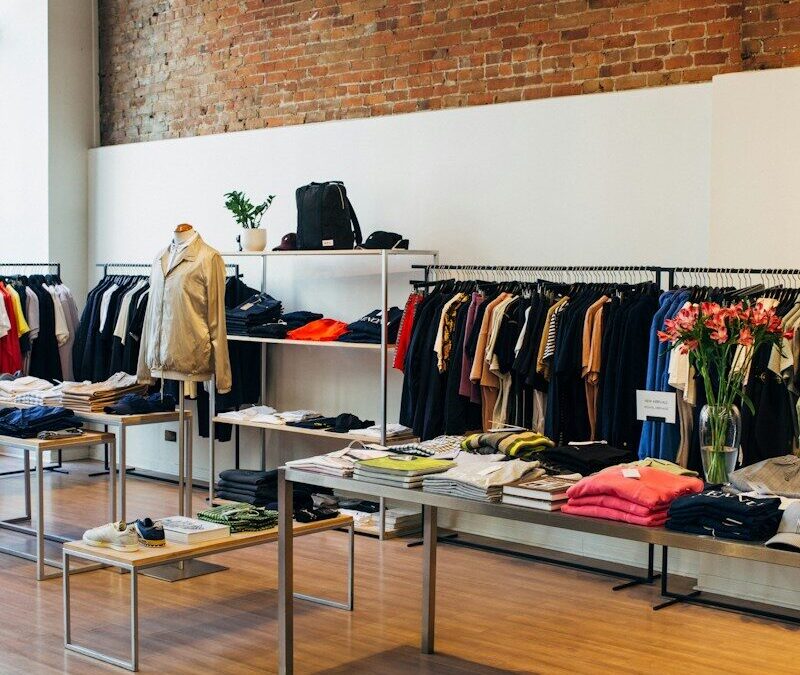
Photo by Madison Oren on Unsplash
Why We Built the New Limitless Order Builder
We listened to our customers, and the same frustrations kept coming up. The old way of ordering meant you had to:
- Drag each piece of artwork into place manually
- Arrange layouts by eye
- Calculate spacing between designs
- Estimate which sheet size you needed
That’s a lot of room for error—and a lot of wasted time. The new Limitless Order Builder handles all of it automatically and allows you to build your own gang sheet, but upgraded. The payoff is real:
- Easier ordering for everyone, regardless of design experience
- Fewer mistakes thanks to automated layout and checks
- Faster checkout without the guesswork
- Better layouts that squeeze more value from every sheet
- Professional results every single time

DTF Gang Sheet Builder Features That Save Time
How does Smart Nesting arrange my artwork automatically?
Smart Nesting is the engine that powers the builder. You upload your artwork, enter your quantities, and it instantly generates the most efficient layout possible. It optimizes printable space, reduces waste, and speeds up production—no manual dragging required.
Think of it as an experienced production tech who arranges your custom gang sheet in seconds, packing designs tighter than most people could by hand.
Should I use Quick Order or Multi-Job Order?
The builder gives you two ordering paths depending on your project:
Quick Order is best for:
- A single design
- Repeat orders you place often
- Simple, straightforward projects
Multi-Job Order is perfect for:
- Print shops running several jobs at once
- Combining multiple customers on one sheet
- Etsy shops and apparel businesses
- Managing different artwork and different sizes in a single order
Choose Quick Order if speed and simplicity matter most. Choose Multi-Job Order if you’re managing multiple client projects and want them handled together.
How does Job Grouping keep orders organized?
Job Grouping keeps each customer’s artwork together on the sheet, even as Smart Nesting works to maximize space. That organization pays off downstream with easier cutting, faster fulfillment, and cleaner order management—especially when you’re pressing for several clients at once.
What are Adjustable Cutting Gaps?
Adjustable Cutting Gaps let you customize the spacing between designs. More breathing room means easier trimming, fewer cutting mistakes, and a smoother workflow when you’re separating transfers by hand.
How does Contour Nesting maximize every inch?
Contour Nesting arranges designs based on their actual shape rather than a simple bounding box. That means better material usage, less wasted film, and more transfers per sheet—which translates directly into lower production costs.
Preparing Artwork for the Best DTF Transfers
What file type and resolution should I upload?
For sharp, vibrant transfers, upload high-resolution files at 300 DPI. The builder supports PNG (especially transparent PNG) and PDF files.
Transparent backgrounds are key. A PNG file handles transparency beautifully, so only your design prints—not an unwanted white box around it. Adobe also has a helpful guide to PDF files if you’re exporting from a design program.
You can create print-ready artwork in Illustrator, Photoshop, or even Canva. If you’re new to design, the Canva Design School offers beginner-friendly tutorials on image resolution and export settings.
How do artwork checks prevent reprints?
The builder automatically scans your files for common problems before printing, including:
- Low-resolution images that would print blurry
- Overlapping artwork
- Incorrect dimensions
- General image quality issues
Catching these upfront dramatically reduces reprints and disappointing results.
What does the Print Size Visualizer do?
The Print Size Visualizer lets you preview your design at actual print size before you order. You can check scaling, sizing, and how a design will sit on a shirt. Getting color right matters too—Pantone’s guidance on color systems and accuracy is a useful reference if you want consistent results across a run. Previewing everything first helps you avoid costly ordering mistakes.
How does the Design Vault make reordering easier?
The Design Vault saves your artwork so you can reuse it anytime. Reorders become nearly instant, and your designs stay consistent from batch to batch. For businesses running repeat products, it’s a genuine time-saver.
Build Team Rosters in Minutes
Need names and numbers on a stack of jerseys? The roster feature lets you generate personalized apparel without editing every file by hand. It’s built for:
- Sports teams
- Schools
- Employee uniforms
- Family reunions
- Events of every size
Enter your names and numbers once, and the builder handles the rest—turning a full afternoon of manual editing into a few minutes of setup.
Gang Sheet Sizes Available
The builder offers a wide range of sheet lengths to match any job:
- 2 ft
- 4 ft
- 6 ft
- 8 ft
- 10 ft
- All the way up to 30 ft
Here’s the best part: you don’t have to figure out which size you need. Just choose how much artwork you want, and the builder assembles the finished gang sheet automatically. And with no minimums and no setup fees, small runs and big batches are equally welcome.
How to Order Custom DTF Transfers with Our New Sheet Builder
Ready to place an order? Here’s the full process, start to finish:
- Upload your artwork. Drop in your PNG or PDF files.
- Select your quantities. Tell the builder how many of each design you need.
- Choose Quick Order or Multi-Job Order. Pick the path that fits your project.
- Review the artwork checks. Fix any flagged issues before printing.
- Preview sizing. Use the Print Size Visualizer to confirm everything looks right.
- Let Smart Nesting build your gang sheet. The layout comes together automatically.
- Check out. Confirm your order in a few clicks.
- We print and ship. Your transfers arrive ready to press.
Orders placed before noon EST ship the same day, and you get free UPS Ground shipping on orders over $50. Deadlines, meet your match.
Heat Press Tips for Better Results
Great transfers deserve a great application. Follow these settings for reliable, durable results:
- Temperature: 320–350°F for cotton
- Press time: 8 seconds
- Peel: Hot peel immediately, thanks to our True Hot Peel technology
- Before washing: Wait 24 hours
- Washing: Turn garments inside out and use cold water
- Second press: Use parchment paper for a quick second press to lock in durability and a softer finish
Different fabrics and presses may need small tweaks, so it’s always worth testing on a scrap piece first. For a deeper dive into press settings across materials, STAHLS’ maintains an excellent heat press learning center.
Why Businesses Love Our DTF Transfers
The builder makes ordering easy, but the transfers themselves are why customers keep coming back:
- Award-winning and great quality — back-to-back 1st Place DTF quality awards in 2024 and 2025
- True Hot Peel for fast, high-volume production
- Vibrant CMYK+White color with refined ICC profiles
- Soft-hand feel that stays lightweight, even on large designs
- Certified for 100+ washes for long-lasting durability
- Ultra-fine detail that holds up on intricate artwork
Our transfers work on a huge range of materials, including:
- Cotton
- Polyester
- Blends
- Leather
- Nylon
- Canvas
- Wood
Combine that with no minimums and fast shipping, and it’s easy to see why we’re trusted by print shops, Etsy sellers, Shopify businesses, promotional companies, and DIY creators alike. For anyone working with cotton garments, Cotton Incorporated offers solid guidance on fabric care and washing that helps your finished products last even longer.

Photo by Stephen Harlan on Unsplash
Frequently Asked Questions
Which company is the best for DTF gang sheet printing?
Look for a provider that checks every box: award-winning quality, reliable shipping, accurate colors, easy ordering, responsive customer support, true hot peel transfers, and no minimums. Limitless Transfers delivers all of these, backed by back-to-back 1st Place DTF quality awards in 2024 and 2025 and hundreds of five-star reviews.
Is there a free app I can download to build a gang sheet?
Several free gang sheet builders exist, and they work fine if you’re comfortable arranging layouts yourself. The difference with the Limitless Order Builder is automation—it eliminates the manual layout work entirely by building optimized gang sheets for you with Smart Nesting. You get professional results without the fiddly drag-and-drop.
How do I create a DTF transfer sheet?
Upload your artwork, choose your sizes and quantities, review the automatic artwork checks, then check out. Smart Nesting arranges all your designs into the most efficient layout automatically, so you never have to position anything by hand. We print your sheet and ship it ready to cut and press.
Where can I find gang sheets for heat press transfers?
You can order professionally printed gang sheets directly through the Limitless Order Builder. Ordering pre-printed transfers saves you time and produces more consistent, durable results than printing at home—no expensive equipment, white ink maintenance, or trial-and-error required.
Why the New Limitless Order Builder Changes Everything
The whole point of the Limitless Order Builder is to give you your time back. Instead of building layouts, you get to focus on what actually grows your business: creating, selling, and scaling.
We handle the tedious work—the nesting, the spacing, the sizing, the quality checks—while you stay fully in control of your designs and quantities. The result is better layouts, faster production, easier ordering, and professional-quality transfers every time.
Upload your artwork and try the new DTF gang sheet builder for yourself. You may never build a gang sheet by hand again once you see your high quality prints.