DTF gang sheets combine multiple designs onto a single transfer sheet to reduce waste and lower per-design costs. To create an effective gang sheet, prepare high-resolution PNG files with transparent backgrounds, choose the right sheet size, organize designs efficiently using a gang sheet builder, and follow proper spacing guidelines before submitting for print. Orders placed before 1 PM CT ship the same day—most deliveries arrive within 1–4 business days.
At Limitless Transfers, we help customers create print-ready layouts every day—and one thing is clear: how you set up your gang sheet matters just as much as the artwork itself. A well-organized DTF gang sheet saves money, speeds up production, and delivers cleaner results on press. A poorly organized one? It wastes film, creates cutting headaches, and leads to costly reprints.
Whether you’re just getting started in apparel decorating or you’re running a high-volume print shop, this guide walks through the full process—from gathering your artwork files to submitting a production-ready layout. We’ll cover sizing, spacing, file preparation, application instructions, common mistakes to avoid, and pro tips that will sharpen your workflow right away.
By the end, you’ll have everything you need to create DTF gang sheets that maximize every inch of film and make pressing easier from start to finish.
Why Proper DTF Gang Sheet Setup Matters
What Are DTF Gang Sheets?
A DTF gang sheet is a single transfer sheet that holds multiple designs—logos, text, photos, and custom-sized graphics—arranged side by side on one layout. Instead of printing each design individually, you combine them into one efficient run. All designs are printed and cured together in a single pass using a specialized DTF printer, which maximizes the usable area of the film and significantly reduces your cost per print.
For small businesses, print shops, Etsy sellers, and promotional product companies, this approach is a game-changer. Rather than placing separate orders for every design—each carrying its own setup cost—you consolidate everything into one sheet. That means less wasted material, no setup fees for individual prints, lower production costs, and faster turnaround times for your customers.
Gang sheets are especially practical for businesses managing multiple SKUs or seasonal designs. You can fit a left chest logo, a sleeve graphic, and a full back print all on the same sheet—then press each one as needed. They’re also a smart tool for creative testing: placing multiple design variations on a single film lets you evaluate colors, sizing, and layouts before committing to a full production run. For small-batch decorators, this approach simplifies inventory management and reduces the risk of overproduction.
Compared to traditional screen printing, gang sheets eliminate per-design setup fees entirely, making small runs and mixed-design orders far more affordable.
How the DTF Process Works
Understanding what happens to your gang sheet after you submit it helps you prepare better files and set realistic expectations.
Once your layout is received, it’s printed onto high-quality transfer film using a specialized DTF printer. At Limitless Transfers, we use expanded gamut CMYK+RGBO+W printing with refined ICC profiles—delivering the highest color accuracy, fine detail, and vibrant output possible. There are no color restrictions: full-color designs, gradients, fine text, and photographic artwork all reproduce cleanly.
After printing, adhesive powder is applied to the wet ink while it’s still on the film. The sheet is then run through a curing oven, which melts the powder into the ink and creates a durable bond. Once cured, the sheet is cut into individual designs, ready for application.
The result? Transfers that last over 100 washes without cracking or peeling—as long as they’re applied correctly and cared for properly.
How Proper Layouts Improve Print Quality
Spacing, sizing, and organization aren’t just about efficiency—they directly affect how your transfers look and perform. Designs placed too close together make clean cutting difficult. Oversized artwork placed at the wrong angle wastes precious real estate on the sheet. Poor organization slows down your pressing workflow and increases the risk of errors.
A properly organized DTF transfer sheet preserves vibrant colors, keeps crisp detail intact, and ensures accurate reproduction across every design on the layout. It also makes post-printing production smoother: cutting is faster, pressing is more consistent, and fulfillment runs without unnecessary slowdowns.
Why Businesses Prefer Custom Gang Sheets
The business case for gang sheets comes down to four factors:
- Lower cost per design: Fitting more designs onto one DTF sheet spreads the production cost across every print—no empty space, no wasted film.
- Better inventory management: Print only what you need, when you need it—no overstock, no waste. This is especially valuable for small-batch decorators managing multiple SKUs.
- Faster production for multiple orders: One print run covers several customers or several designs in a single pass.
- Scalability without equipment investment: Outsourcing gang sheet printing means you don’t need to invest in expensive DTF hardware to grow your product offerings.
Step-by-Step Guide to Creating DTF Gang Sheets
Step 1: Gather Your Artwork Files
Start with your source files. Logos, text-based designs, photos, and illustrated artwork all work well on gang sheets—but the quality of your output depends entirely on the quality of your input.
Resolution matters most. DTF transfers are printed at 300 DPI, so your files need to match that standard. A design that looks sharp on screen at 72 DPI will print blurry and pixelated on film. Aim for a minimum of 300 DPI at the intended print size. Higher is better—especially for designs with fine text, thin lines, or detailed gradients.
The best file types for DTF gang sheets include:
- PNG (preferred; required for transparent backgrounds)
- PSD (Adobe Photoshop files)
- AI (Adobe Illustrator files)
- SVG (scalable vector graphics, when applicable)
Step 2: Remove Backgrounds and Create Transparency
Every design submitted for DTF printing should have a transparent background. This is non-negotiable.
When a design has a white or colored background, that background prints onto the garment—creating an unwanted box or halo effect around your artwork. Transparency ensures the transfer blends cleanly into the fabric, producing a professional finished look.
Avoid screenshots. Avoid low-quality image exports. These introduce compression artifacts and edge issues that degrade print quality. Tools like Adobe Photoshop, GIMP (free), or even Canva Pro allow you to remove backgrounds and export transparent PNGs quickly. Always submit files as PNG with transparent backgrounds at 300 DPI for the sharpest possible output.
Step 3: Choose the Right Sheet Size
Sheet size selection depends on your order volume and the dimensions of your individual designs. At Limitless Transfers, gang sheets can be printed up to 22 x 240 inches—giving you significant flexibility to scale up or down based on your needs. A designer with two or three small logos might opt for a shorter sheet, while a print shop managing dozens of designs across multiple customer orders will benefit from a longer layout.
There are no minimum order requirements, so you can place a small test run just as easily as a large production order. Think about what makes financial sense for your project. A larger sheet costs more upfront, but the per-design cost drops significantly when that space is filled efficiently.
Step 4: Upload Designs into the Gang Sheet Builder
This is where things get easy. Our gang sheet builder at Limitless Transfers is designed specifically for customers who don’t have advanced design software—and for those who do but want a faster, more visual workflow.
Upload your transparent PNG files and arrange them on a virtual canvas using drag-and-drop placement. You can mix logos, text, photos, and custom-sized graphics on a single sheet. Adjust sizes, reposition designs in real time, and see exactly how your layout looks before submitting. No Illustrator. No Photoshop. No guesswork.
Benefits of using an online gang sheet builder:
- Easy drag-and-drop placement
- Ability to mix and match logos, text, and photos on one layout
- Fast adjustments without software expertise
- Clear visualization of the final layout before ordering
- Faster submission and turnaround
Step 5: Organize Designs Efficiently and Eliminate Empty Space
Once your files are uploaded, focus on layout strategy. Strategically grouping similar designs together helps with post-print cutting and speeds up fulfillment. Rotating tall or narrow graphics to fill empty areas maximizes every square inch of film—empty space on a gang sheet is wasted cost.
Small designs like patch logos or sleeve prints can tuck into gaps between larger artwork. Think of the layout like a puzzle: the tighter and more organized it is, the more you save per print. DTF transfer sheets that eliminate empty space deliver meaningfully lower cost per design compared to loosely arranged layouts—and compared to screen printing, where setup fees make small or mixed-design runs far more expensive.
This approach also gives you an efficient way to test multiple design variations. Placing different versions of a logo or a few new color combinations on a single sheet lets you evaluate them under real production conditions before scaling up.
How to Size and Space Your Designs
Choosing the Correct Size for Each DTF Transfer
Different placements require different dimensions. Here’s a quick reference for standard sizing:
- Left chest logos: Typically 3″–4″ wide
- Full front prints: Usually 12″–14″ wide
- Sleeve designs: Around 3″–5″ wide depending on sleeve size
- Back graphics: Between 11″–13″ wide for adult sizes
- Youth apparel: Scale down by 20–30% compared to adult sizing
Getting the sizing right before you build your gang sheet avoids resizing issues later—and ensures the transfer fits the intended placement without stretching or trimming.
Proper Spacing Between Designs
Leave at least 0.25″ to 0.5″ of space between each design on your gang sheet. Crowding designs together makes them hard to cut cleanly, especially when working with scissors or rotary cutters. Even small miscuts can clip the edge of a neighboring transfer, rendering it unusable.
Proper spacing also speeds up your workflow after printing. When designs are clearly separated, cutting is faster and more accurate—especially during high-volume production runs.
Creating a Production-Friendly Layout
Arrange artwork with cutting in mind, not just space efficiency. Designs aligned in a grid pattern are significantly easier to cut than scattered, rotated layouts—even if a grid uses slightly more film.
When managing multiple customer orders on a single sheet, organize by order or by design type. This reduces sorting time during fulfillment and minimizes the chance of applying the wrong transfer to the wrong garment.
Planning for Heat Press Application
Before you finalize your layout, consider how each transfer will be applied. Knowing the target placement helps you confirm the size is correct before printing. A left chest logo sized correctly in the gang sheet builder saves you from pressing an oversized transfer and wasting inventory.
Consistent design dimensions across multiple garments also improve efficiency at the press—fewer adjustments between applications means faster production overall.
How to Apply DTF Transfers
Getting your application steps right is just as important as preparing your gang sheet. Follow these instructions for clean, durable results every time.
Before you start: Trim off any color registration strips along the edges of your transfer before pressing. These are production guides and should not be applied to the garment.
Step-by-step application:
- Position the transfer print side up on the fabric, placing it exactly where you want the design to appear.
- Press at 300°F for 15 seconds under firm, even pressure.
- Cold peel after pressing. Allow the transfer to cool completely before removing the film. Peeling while still hot can lift the transfer or cause adhesion issues.
- Cover with parchment paper and press again for 5 seconds. This final press seals the transfer into the fabric and improves durability.
When applied correctly, DTF transfers last over 100 washes without cracking or peeling. To maintain longevity, wash garments inside out in cold water and avoid high-heat drying.
Fabric Compatibility
What Can You Press DTF Transfers On?
One of the biggest advantages of DTF printing is its versatility across fabric types. Our transfers work on over 20 different materials, including:
- 100% cotton
- 100% polyester
- 50/50 blends and tri-blends
- Linen and linen blends
- Leather and faux leather
- Denim
- Canvas
- Neoprene
- Non-woven fabrics
- Polypropylene
- Wood and novelty substrates
There are no color restrictions—DTF transfers perform consistently on both light and dark fabrics, across all the compatible materials listed above.
One important note: Nylon fabrics are not recommended for DTF transfers. The heat required for proper adhesion can damage nylon, and the bond may not hold reliably over time. For nylon garments, consult your supplier for alternative decoration methods.
Common File Setup Mistakes
Uploading Low-Resolution Images
Resolution is the single most common file mistake we see. Since DTF transfers are printed at 300 DPI, your source files need to meet that standard before submission. Low-resolution artwork prints blurry and pixelated on film—and no amount of file manipulation can fix that after the fact. Always confirm your DPI before uploading.
Forgetting Transparent Backgrounds
A white background on a design doesn’t disappear during the transfer process—it prints. The result is a visible white box around your artwork on the finished garment, which looks unprofessional and often ruins the print. Always export as a transparent PNG before uploading.
Using Watermarked Images
Watermarked images—from stock photo sites, mockup generators, or third-party design platforms—print exactly as they appear, watermark and all. Beyond the obvious quality issue, using watermarked or unlicensed artwork creates copyright liability. Use only original artwork, licensed graphics, or designs you have explicit rights to print.
Incorrect File Formats
JPEG files use lossy compression, which introduces artifacts around design edges and doesn’t support transparency. Always use PNG or vector formats like AI or SVG for clean, artifact-free output.
Before submitting any file, run through this checklist:
- ✅ File is PNG or vector format
- ✅ Background is transparent
- ✅ Resolution is 300 DPI or higher
- ✅ File is not watermarked or licensed for screen-only use
Overcrowding the Sheet
Filling every pixel of space sounds efficient—but it creates a production nightmare. Designs with no buffer space are nearly impossible to cut cleanly, and any miscut damages neighboring transfers. Leave adequate spacing, and resist the urge to squeeze in one more design if it means compromising the rest of the layout.
Pro Tips for Print-Ready DTF Transfer Sheets
Use Consistent Artwork Resolution
Mixing high-resolution and low-resolution artwork on the same sheet means some designs will print beautifully and others won’t. Standardize your file preparation process so every design meets the 300 DPI threshold before it gets placed on a gang sheet. This creates a consistently professional finished product across every order.
Double-Check Dimensions Before Submission
Verify logo sizes, confirm artwork measurements, and review placement requirements before you hit submit. A quick five-minute review can prevent a reprint that costs far more in time and materials. Use the gang sheet builder’s preview feature to confirm everything looks right at actual print dimensions.
Test New Designs Before Large Production Runs
Before committing to a large run of a brand-new design, place a small test order. There are no minimum order requirements, so testing is easy and affordable. This is especially important for artwork with fine details, unusual color gradients, or unconventional sizing. Catching a color accuracy issue or a sizing error on a test run is far less costly than discovering it on 500 shirts. Placing a few design variations on a single test sheet is one of the most efficient ways to validate new artwork before scaling up.
Use Professional-Grade Transfers
Even a perfectly prepared gang sheet delivers poor results if the transfer quality is substandard. At Limitless Transfers, our transfers are produced using expanded gamut CMYK+RGBO+W printing with optimized ICC profiles, delivering exceptional color accuracy and vibrant output—with no color restrictions on any supported fabric. Our true hot-peel technology allows clean, instant peeling from the film while hot, cutting your production time significantly and reducing the risk of adhesion errors.
Choose a Reliable DTF Transfer Partner
Consistency matters. A supplier that delivers exceptional transfers one week and mediocre ones the next disrupts your production schedule and creates quality control problems for your customers. Look for a partner with a proven track record, fast turnaround, and real customer support.
Frequently Asked Questions About DTF Gang Sheets
Who has the cheapest DTF gang sheets?
Price alone is rarely the right metric. A cheaper transfer that produces inconsistent colors, poor adhesion, or blurry detail will cost more in reprints, customer complaints, and lost business than a higher-quality option. The best value comes from balancing affordability with quality, durability, and turnaround time. Look for suppliers with no minimums, free shipping thresholds, and a verifiable quality track record—like back-to-back industry awards.
How do I price DTF gang sheets for resale?
Pricing depends on several variables: sheet size, the number of designs on the layout, your production costs, labor, and desired profit margin. A common approach is to calculate the cost per square inch of transfer, then apply a markup based on your market. Apparel decorators and resellers typically factor in pressing time and any setup work when setting customer-facing prices.
How do you cut a DTF gang sheet?
You have a few options depending on your volume:
- Scissors: Fine for small runs and simple shapes
- Rotary cutters: Faster and more precise for straight lines and high-volume cutting
- Commercial trimmers or guillotine cutters: Best for production environments with large sheet volumes
Regardless of method, always cut in a well-lit area and maintain the spacing buffer between designs. Clean, straight cuts preserve your transfers and make pressing easier.
Is a gang sheet cheaper than ordering individual transfers?
Yes—almost always. Printing multiple designs individually means each one carries its own base production cost, and in traditional screen printing, each design also carries a setup fee. Fitting those same designs onto a single gang sheet eliminates those per-design costs and distributes the production cost across the entire layout—lowering your per-print price significantly. For growing businesses managing multiple designs across multiple customers, gang sheets are the most cost-effective format available.
How long do DTF transfers last?
When applied correctly and cared for properly, DTF transfers last over 100 washes without cracking or peeling. Wash garments inside out in cold water and avoid high-heat tumble drying to maximize longevity.

Why We Recommend Using Limitless Transfers for DTF Gang Sheets
Award-Winning Quality You Can Trust
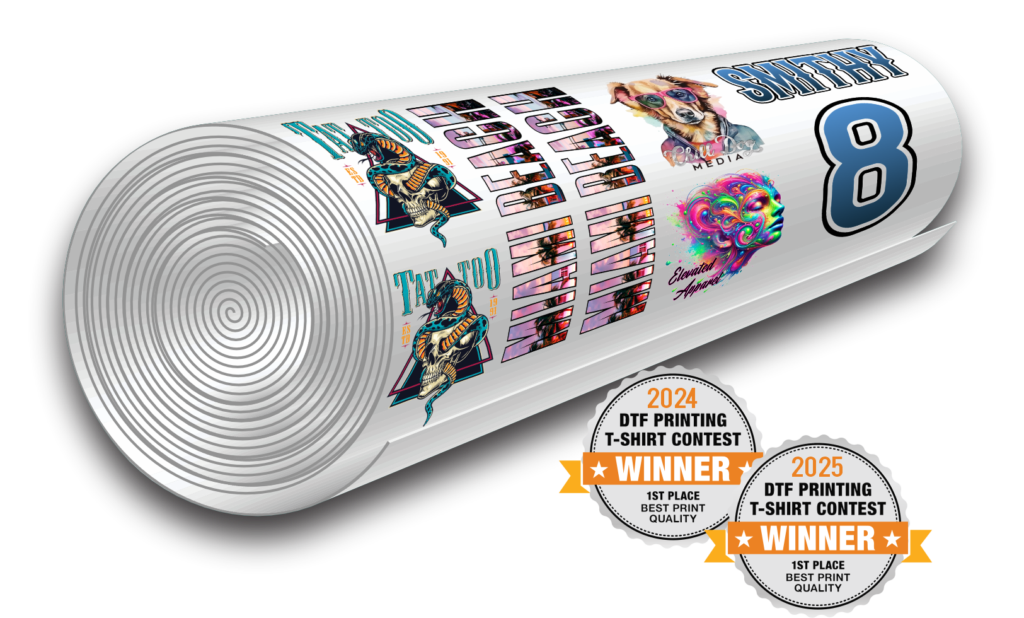
Limitless Transfers earned 1st Place in DTF Printing Quality in both 2024 and 2025. That recognition isn’t marketing—it’s the result of consistent investment in advanced printing technology, refined ICC profiles, and rigorous quality control. Every gang sheet we produce reflects that standard.
Tools Designed for Every Skill Level
Our gang sheet builder requires no design experience and no additional software. Upload your transparent PNGs, drag and drop your logos, text, photos, and custom-sized designs, and visualize the final layout before you order. Gang sheets can be built up to 22 x 240 inches, giving you flexibility for any project size. For customers with ready-to-print files, our direct upload option accepts gang sheets 22.5″ wide at any length. For those who prefer ordering by size, our single-design upload tool makes it just as easy.
Fast Turnaround for Growing Businesses
Upload your files by 11 AM CST and your order qualifies for same-day service. Orders placed before 1 PM CT ship the same day. Most orders have fast delivery – within 1–4 business days. Free UPS Ground shipping applies to orders over $50, with $10 flat-rate 2nd Day Air available for tight deadlines. Whether you’re running a weekend market booth or fulfilling a corporate order by Friday, Limitless Transfers is built around your timeline.
No Minimums, No Setup Fees
There are no minimum order requirements and no setup fees—for any order size. Whether you’re placing a small test run to evaluate a new design or fulfilling a large event order, you pay only for what you need. This makes Limitless Transfers a natural fit for small-batch decorators, growing Etsy shops, and high-volume print operations alike.
Premium Transfers for Any Project
Our transfers perform on over 20 fabric types: cotton, polyester, blends, canvas, leather, linen, denim, neoprene, wood, non-woven fabrics, and more. (Note: nylon is not recommended.) Whatever you’re pressing, our transfers deliver the same soft-hand feel, vibrant color, and clean hot-peel performance every time—with durability that holds up wash after wash.
Start Creating Your Next Gang Sheet with Confidence
A well-built DTF gang sheet is one of the most practical tools in a decorator’s workflow. Proper sizing, clean spacing, transparent backgrounds, and high-resolution artwork don’t just improve print quality—they save time, reduce waste, and make your entire production process more predictable.
The steps covered here apply whether you’re preparing your first gang sheet or your thousandth. Start with clean PNG files at 300 DPI, build a thoughtful layout that eliminates empty space, follow the correct application steps, and use a reliable tool to bring it all together.
Ready to put it into practice? Use the Limitless Transfers gang sheet builder to upload your artwork, build your layout, and place your order—with same-day shipping on qualifying orders and award-winning quality guaranteed.
Helpful Resources
Whether you’re new to DTF printing or looking to sharpen your process, these external guides cover everything from artwork preparation and file setup to fabric selection and printing method comparisons.
- Artwork Tips for DTF Transfers – STAHLS’ — Practical design advice for getting the best results from DTF transfers, including guidance on edge quality, negative space, and fine detail reproduction.
- What Makes the Best DTF Transfer? – STAHLS’ — A breakdown of what separates high-quality DTF output from substandard results, covering resolution, color accuracy, and what to look for in a transfer supplier.
- Sizing and Placement Guidelines for T-Shirt Transfers – HeatPressNation — A thorough reference for standard transfer sizing by placement area, including chest, sleeve, back, and pocket locations across adult and youth garments.
- How to Make a Background Transparent in Photoshop – Adobe — A step-by-step walkthrough for removing backgrounds and exporting transparent PNGs in Adobe Photoshop.
- Free Transparent Background Maker – Adobe Express — A free, browser-based tool for removing image backgrounds in one click—no software download required.
- Choosing the Right Fabric for Custom Apparel – ColDesi — A complete guide to fabric types, weights, and compatibility with different decoration methods—useful context when sourcing blanks for DTF projects.
- Screen Printing vs. DTF: What’s the Difference? – Ricoma — A side-by-side comparison of DTF and screen printing across cost, setup, fabric compatibility, and