Direct to film (DTF) printing produces professional, vibrant, full-color transfers by printing designs onto PET film with CMYK+W inks, applying adhesive powder to wet ink, and heat-pressing onto fabric at around 165°C for 15–20 seconds. No pre-treatment is needed, setup costs are minimal, and the method works across virtually every fabric type—making it one of the most flexible and profitable decoration methods available for small-to-medium runs.
DTF printing has quietly become one of the most flexible and accessible decoration methods in the custom apparel industry. Hobbyists use it to launch Etsy shops. Print shops use it to expand their service offerings overnight. E-commerce sellers rely on it to keep up with order volume. And it’s easy to see why—the barrier to entry is low, there are no per-job setup costs, the color output is stunning, and the material compatibility is almost unmatched.
But here’s something we’ve learned after helping thousands of customers create custom apparel at Limitless Transfers: the method alone doesn’t guarantee great results. The difference between a print that looks sharp after 100+ washes and one that cracks after five comes down to technique. Artwork preparation, application settings, material knowledge, process consistency, and regular equipment maintenance all play a role.
This guide covers everything you need to know—from setting up your files correctly to mastering the heat press—so you can get professional results every time.
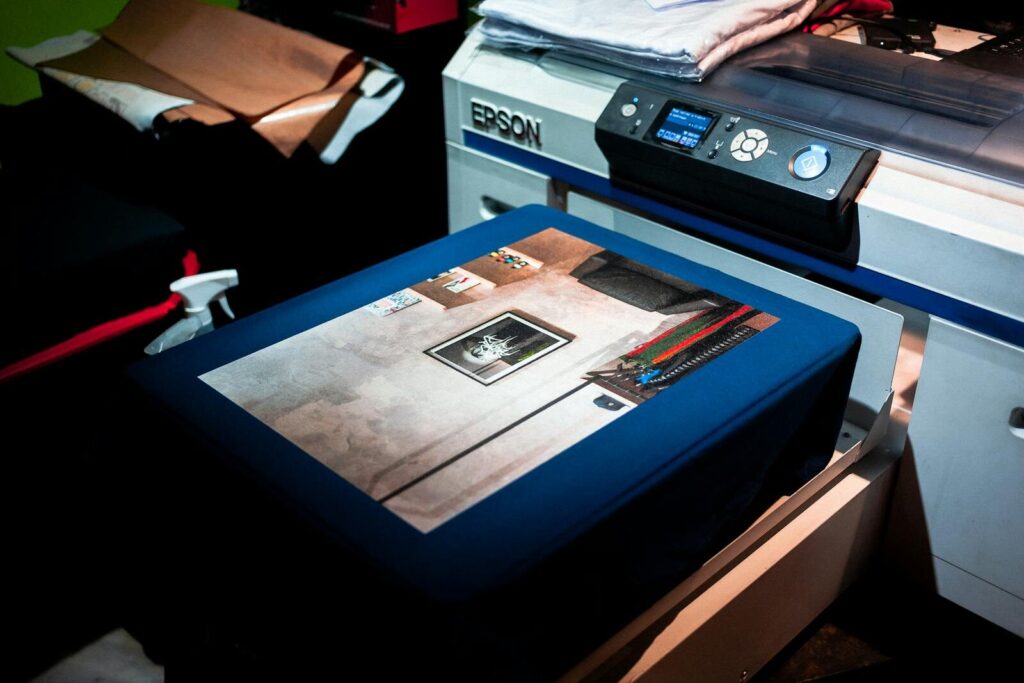
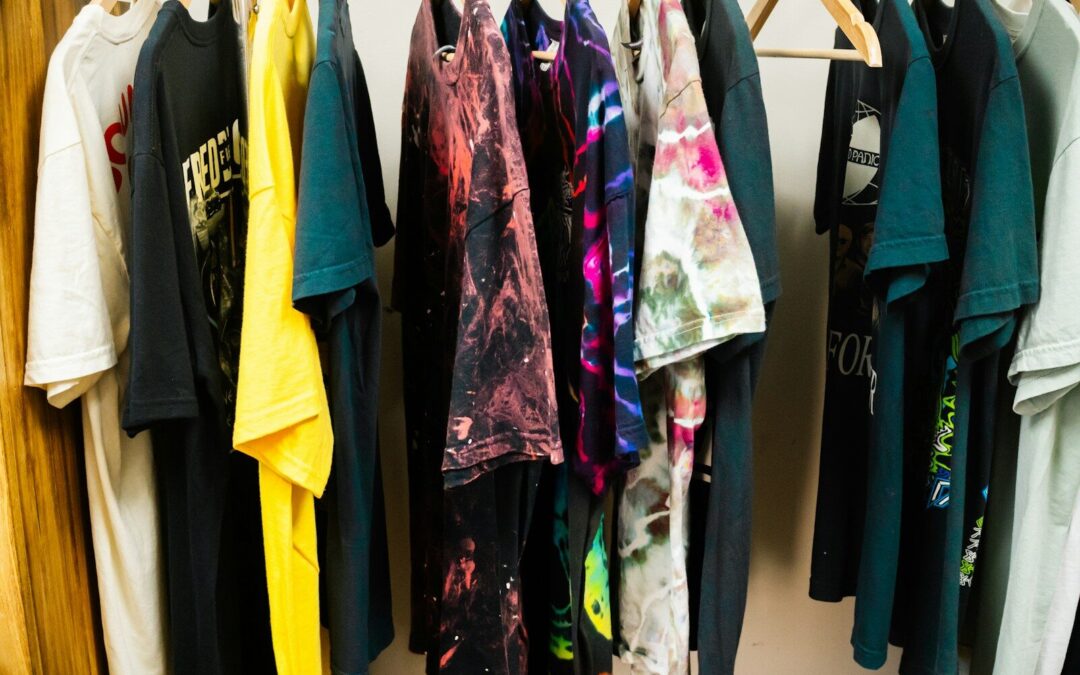
Photo by Deybson Mallony on Pexels
Why Technique Matters in Direct to Film Printing
What Does “Direct to Film” Mean?
Direct to film printing is a garment decoration method where a design is printed onto a special PET (polyethylene terephthalate) film using CMYK and white inks. While the ink is still wet, a hot-melt adhesive powder is applied and cured with heat, bonding it to the print. The finished transfer is then stored until it’s ready to apply. When you’re ready to press, the transfer is placed on the garment and heat-pressed at around 165°C for 15–20 seconds, permanently bonding the design to the fabric.
One of the most practical advantages of this workflow is flexibility: transfers can be printed in bulk ahead of time and heat-pressed on demand. That means you can build up inventory, respond to rush orders quickly, and manage production in a way that fits your schedule—not the other way around.
Every stage of the process affects the final result. The quality of the film, the accuracy of the ICC color profiles, the adhesive powder, how transfers are stored, and how consistently your heat press is maintained all feed into what ends up on your garment.
Why DTF Transfers Deliver Professional Results
The appeal of DTF printing is rooted in a few key advantages that set it apart from other decoration methods:
- Vibrant, accurate colors. CMYK+W printing—especially when paired with refined ICC profiles—produces rich, detailed color output across a gamut of up to 16.7 million colors. It holds up well on both light and dark fabrics, maintaining sharp detail even on the darkest substrates.
- Exceptional durability. When applied correctly, high-quality DTF transfers can withstand over 100 wash cycles without cracking, peeling, or fading. That’s a meaningful selling point for end customers who expect their decorated apparel to last.
- Fine-detail reproduction. DTF transfers can capture details as fine as 3 pixels, making them ideal for intricate artwork, small text, and photographic imagery that other methods struggle to reproduce cleanly.
- Broad material compatibility. DTF transfers work on cotton, polyester, tri-blends, nylon, canvas, leather, denim, neoprene, wood, and more—without requiring pre-treatment of any kind. That’s a significant time saver compared to direct-to-garment (DTG) printing, which requires pre-treatment on dark garments.
- No pre-treatment required. Unlike DTG, DTF skips the pre-treatment step entirely. That saves time on every job and removes a variable that can otherwise cause inconsistencies in color and adhesion.
That last set of points is particularly valuable for shops working across multiple fabric types. Very few other decoration methods offer the same flexibility without requiring different processes or equipment for each substrate.
High Profit Margins, Especially on Small-to-Medium Runs
DTF printing is especially well-suited to jobs where margin matters most: small-to-medium runs. Because there are no screen setup fees, no color separation costs, and no minimum order quantities, you keep more profit on every job—even when you’re only pressing five or ten pieces.
For small-batch orders and one-off custom requests, DTF’s cost structure is genuinely hard to beat. The ability to print transfers in bulk and press on demand also reduces waste and gives you more control over your production flow.
That said, DTF is not always the most cost-effective choice at scale. For very high-volume, single-design runs—think thousands of identical shirts—industrial screen printing is generally faster and cheaper per unit. Screen printing’s setup costs become proportionally small when spread across a large enough run, and throughput speeds are hard to match. DTF shines on jobs where variety, full-color complexity, or small quantities make screen printing impractical.
How Does Direct to Film Compare to Screen Printing, Sublimation, and Vinyl?
Each method has a place in the industry, but DTF holds a distinct advantage in several key areas:
- Versus screen printing: Screen printing is cost-effective at high volumes, but setup fees and color limitations make it impractical for small runs or full-color designs. DTF has no setup fees, handles full-color artwork with ease, and gets you into production significantly faster. For small-batch and detailed work, DTF wins on both speed and cost. For large bulk orders, screen printing remains the more economical choice.
- Versus sublimation: Sublimation produces vibrant results, but it’s limited to 100% polyester fabrics and light-colored garments. DTF works across virtually every fabric type—including cotton and dark fabrics—without those restrictions.
- Versus vinyl/HTV: Vinyl cutting is great for simple, single-color designs but struggles with fine detail, gradients, and multi-color artwork. DTF handles that complexity without adding time or cost.
For a deeper side-by-side breakdown, Printful’s guide to printing methods is a solid starting point.
A Note on Environmental Impact
DTF printing offers a lot of advantages, but it’s worth being transparent about its environmental tradeoffs. The curing process and adhesive powder waste create a higher environmental footprint than some water-based alternatives, such as water-based screen printing inks or certain DTG setups. If sustainability is a priority for your business or your customers, it’s worth factoring that in when evaluating your overall production mix. Some print shops offset this by batching production efficiently to reduce energy use and minimize film waste through well-planned gang sheets.
Tips for Better Artwork and File Setup
Why Does Image Quality Directly Impact Print Quality?
Your transfer is only as good as the file behind it. Low-resolution images don’t give the printer enough data to reproduce fine details, resulting in blurry edges, muddy colors, and poor line definition. For DTF printing, a resolution of 300 DPI (dots per inch) at the final print size is the standard recommendation.
If you’re working from a photo or a rasterized logo, zoom in to 100% in your editing software before submitting. If it looks pixelated on screen, it will print that way too.
What File Formats Work Best for DTF Printing?
Preferred formats include:
- PNG — Ideal for most artwork; supports transparent backgrounds
- TIFF — High quality and lossless; good for detailed raster work
- PDF — Works well for print-ready files with precise specifications
- EPS — Best for vector-based artwork that needs to scale cleanly
Transparent backgrounds are critical. A white background behind your design will print as white, which may not be what you want—especially on colored garments. Always export with transparency preserved.
How Can You Optimize Color Accuracy for Vibrant Prints?
Color accuracy starts in your design software. Design in RGB mode for screen previewing, but understand that your printer converts to CMYK for output. Some colors—particularly neons and highly saturated blues and greens—may shift slightly in that conversion.
To reduce surprises, request a color proof if you’re working on a brand-critical project. For consistency across orders, keep your brand colors documented with specific CMYK values. Adobe has published a helpful guide to color management that’s worth bookmarking if you work in Photoshop.
What Is a Gang Sheet and Why Does It Save Money?
A gang sheet is a single print file that contains multiple designs arranged on one sheet. Instead of printing each design individually, you maximize the printable area—which lowers your cost per transfer significantly. Gang sheets also make it easier to print high quality transfers in bulk and press them on demand, which is one of the core workflow advantages DTF offers over other decoration methods.
At Limitless Transfers, our gang sheet builder lets you upload PNG files and arrange them on a 22.5″-wide sheet without needing design software. It’s one of the most practical tools available for small shops and hobbyists who want professional results without the overhead.
What Are the Right Sizing Guidelines for DTF Transfers?
Getting your sizing right before you submit prevents costly reprints. Here are general guidelines for common apparel applications:
- Adult t-shirt (full front): 11″–12″ wide
- Adult t-shirt (chest/left chest): 3″–4″ wide
- Youth shirt (full front): 8″–10″ wide
- Hat (structured front panel): 2″–2.5″ tall, up to 5″ wide
- Tote bag (full front): 10″–12″ wide
Always confirm your measurements on the actual garment before scaling your artwork.
Application Tips for Cleaner DTF Results
What Heat Press Settings Work Best for DTF Transfers?
Heat press settings are where many beginners run into trouble. The three variables to control are:
- Temperature: Typically around 165°C (approximately 329°F), though some suppliers recommend a range of 149–165°C depending on the fabric
- Pressure: Medium-firm; enough to ensure full contact without distorting the garment
- Dwell time: 15–20 seconds for most applications
These are starting points—not universal rules. Thicker fabrics, moisture-resistant coatings, or specialty substrates may require adjustments. Always follow the instructions included with your specific transfers. The ColDesi DTF application guide offers a useful reference for general best practices.
How Should You Prepare a Garment Before Heat Pressing?
This step gets skipped more than it should. Pre-pressing your garment for 3–5 seconds before applying the transfer removes moisture and smooths out wrinkles. Both of those things improve adhesion.
Moisture is the biggest culprit for application failures. A damp garment—even one that feels dry—can prevent the adhesive from bonding properly. For polyester and poly blends, pre-pressing is especially important since these fabrics are prone to holding residual moisture.
How Do You Position DTF Film Transfers Correctly on a Garment?
Misalignment is hard to fix after the press closes. Before applying heat, take a moment to:
- Measure from the collar or shoulder seam to establish consistent placement
- Use a T-square or alignment ruler for straight positioning
- Lightly press the transfer in place (or use heat-resistant tape) before full application
For full-front designs on shirts, the standard industry placement starts 3–4 inches below the collar. For left-chest logos, center the design over the left chest pocket area.
What Makes True Hot-Peel DTF Transfers Different?
Hot-peel transfers are designed to be peeled immediately after removing the heat press platen—while the transfer is still hot. This speeds up production considerably compared to cold-peel alternatives, which require you to wait for the transfer to cool fully before peeling.
At Limitless Transfers, our transfers are engineered for true instant hot peel. The film releases cleanly without lifting edges or leaving residue, which means faster throughput on larger orders.
The technique matters here. Peel slowly and at a low angle, pulling the film back on itself rather than straight up. Fast or steep peeling can lift edges or tear fine details.
Why Should You Do a Post-Press After Applying a DTF Transfer?
A post-press—applying the heat press for an additional 5–10 seconds with a parchment sheet or silicone pad over the transfer—can significantly improve wash durability and overall finish. The second press reactivates the adhesive and helps seal any lifted edges, resulting in a stronger bond.
This step is particularly useful for transfers applied to textured fabrics or knits, where the adhesive may not make full contact on the first press.
Understanding Hand Feel on Lightweight Fabrics
DTF transfers produce vibrant prints with excellent stretch and wash durability, but it’s worth setting accurate expectations around hand feel. Because adhesive powder is applied to the wet ink before curing, the transfer sits on top of the fabric rather than soaking into it. On lightweight fabrics in particular, this can result in a slightly raised or heavier feel compared to methods like water-based screen printing or dye sublimation. For most applications, this isn’t a problem—but if you’re decorating ultra-thin fabrics or performance wear where a barely-there feel is important, it’s worth testing before committing to a full run.

Photo by César O’neill on Pexels
Equipment Maintenance: Keeping Your DTF Printer Running
Why Daily Maintenance Matters
DTF printers require consistent, frequent maintenance to operate reliably—and this is one of the most important things to understand before investing in in-house printing equipment. White ink is particularly prone to clogging print heads if the printer sits idle or maintenance steps are skipped. Clogged heads mean poor print quality, banding, and potentially expensive repairs.
Daily maintenance routines typically include:
- Running head-cleaning cycles before and after printing sessions
- Circulating white ink to prevent settling and clogging
- Cleaning the capping station and wiper blade
- Checking ink levels and refilling as needed
- Inspecting the film path for debris or residue
Skipping these steps—even for a day or two—can lead to machine breakdowns that take your production offline at the worst possible time. If you’re running a busy print operation, build maintenance into your daily schedule the same way you’d schedule any other production task.
For shops that prefer to avoid the complexity of running their own DTF equipment, working with a transfer supplier like Limitless Transfers removes that burden entirely. You get professional-grade output without the maintenance overhead.
Common Direct to Film Mistakes to Avoid
Using Low-Resolution Artwork Files
Blurry, pixelated, or heavily compressed files are the most common cause of disappointing print results. If your original file was designed for the web at 72 DPI, it won’t translate well to print. Always start with vector files or high-resolution raster artwork.
Applying Incorrect Heat Press Pressure
Too little pressure and the adhesive won’t fully bond. Too much pressure and you risk scorching the garment, flattening the fabric texture, or distorting the design. If you’re seeing inconsistent adhesion across the transfer, uneven pressure is usually the cause. Check that your platen is level and that your pressure is uniform across the surface. Stahls’ heat application guide is a reliable resource for troubleshooting pressure-related issues.
Ignoring Material Differences
Cotton and polyester behave differently under heat. Polyester is heat-sensitive and can scorch or ghost at temperatures that work perfectly on cotton. Nylon and moisture-wicking fabrics may require lower temperatures and shorter dwell times. Test on a scrap piece of the same material before running a full production batch.
Rushing the Peeling Process
Even with hot-peel transfers, patience pays off. Peeling too fast or at the wrong angle can tear fine lines, lift edges, or leave residue on the garment. Maintain a slow, consistent peel angle—ideally under 45 degrees—and let the film release naturally rather than forcing it.
Skipping Application Instructions
Every transfer supplier has specific application guidelines for a reason. Deviating from recommended temperatures, dwell times, or peeling methods—even slightly—can affect the outcome. If you’re troubleshooting a quality issue, application settings are the first place to look.
Pro Tips for Long-Lasting DTF Prints
Why Does Transfer Quality Affect Durability?
Not all DTF transfers are created equal. The quality of the transfer film, the ink formulation, the adhesive powder, and the printing process all determine how well a transfer holds up over time. Lower-quality transfers may look acceptable at first but show cracking, fading, or peeling well before the 100-wash mark.
Limitless Transfers has earned back-to-back 1st Place recognition for DTF printing quality in both 2024 and 2025. That recognition reflects consistent investment in premium or special films, refined ICC profiles, and production processes that prioritize color accuracy, fine-detail reproduction, and soft-hand feel.
How Should You Store DTF Film Transfers Before Pressing?
Proper storage extends the shelf life of your transfers and protects print quality:
- Store transfers flat or rolled—never folded
- Keep them in a cool, dry environment away from direct sunlight
- Avoid areas with high humidity or extreme temperature swings
- Keep transfers in their original packaging until ready to press
Because transfers can be printed in bulk and stored until needed, smart storage practices let you take full advantage of that flexibility without compromising quality.
What Washing Instructions Help Extend Print Life?
How a garment is washed matters as much as how the transfer was applied. To maximize longevity past the 100-wash mark:
- Turn garments inside out before washing
- Use cold water on a gentle cycle
- Avoid bleach and fabric softeners
- Tumble dry on low heat or hang to dry
- Skip the iron directly on the print
The American Apparel & Footwear Association’s care guide provides additional context on fabric care standards that can inform washing recommendations for end customers.
Should You Test New Materials Before Full Production Runs?
Always. Running a test press on a scrap piece of the same fabric—or a sacrificial garment—before a full production run is one of the simplest ways to avoid costly mistakes. Material behavior can vary even within the same fabric category. A quick test press tells you whether your settings need adjustment before you’ve committed to a full batch.
How Does Process Consistency Lead to Better Business Outcomes?
Documenting your workflow is the unsexy but genuinely valuable part of scaling a print business. When every team member follows the same preparation, pressing, and quality-check steps, you get fewer reprints, more consistent output, and happier customers. A simple production checklist—covering artwork specs, press settings by fabric type, maintenance steps, and QA checkpoints—can make a measurable difference in daily operations.
For those building out a serious decoration business, The Print Pros community on Facebook is an active resource for workflow advice and peer troubleshooting.

Why Limitless Transfers Is the Right Partner for Professional DTF Printing
Award-Winning Quality That Delivers Real Results
Limitless Transfers earned 1st Place recognition for DTF printing quality in both 2024 and 2025—back-to-back. That’s not a marketing claim. It reflects the consistent performance of our CMYK+RGBO+W printing process, our carefully calibrated ICC profiles, and our commitment to producing transfers with accurate color, fine detail, and a soft-hand feel that customers notice immediately.
Same-Day Shipping for Time-Sensitive Orders
Orders placed by noon EST ship the same day. For print businesses managing tight turnarounds and event deadlines, that reliability is more than a convenience—it’s a competitive edge. Free UPS Ground shipping is included on orders over $50, and $10 flat-rate 2nd Day Air is available for orders that need to arrive fast.
No Minimums for Every Type of Creator
Whether you’re pressing one shirt for a custom order or running hundreds of transfers for a corporate event, Limitless Transfers accommodates both without requiring large minimums. That flexibility makes us a practical partner for solo crafters, growing boutiques, and high-volume print shops alike.
User-Friendly Tools That Simplify Ordering
Our gang sheet builder lets you upload PNG files, arrange multiple designs on a single sheet, and submit your order—all without needing professional design software. For shops that are ready to upload print-ready gang sheet files directly, that option is available too. Either way, the ordering process is built to reduce friction and save time.
Better Technique Leads to Better Prints—Every Time
DTF printing rewards consistency. Great artwork, proper application, quality transfers, regular equipment maintenance, and documented processes aren’t individual shortcuts—they work together. Skimp on one, and you’ll feel it in your results.
Start with high-resolution files, choose the right format, dial in your heat press settings for each fabric type, and give your transfers the post-press they deserve. Keep your equipment properly maintained, store your transfers correctly, and choose a supplier whose quality you can count on.
Ready to put these tips into practice? Upload your next design, build a gang sheet, or browse our ordering options at Limitless Transfers. Your customers will notice the difference.
Frequently Asked Questions About DTF Printing
What does direct to film mean in garment decoration?
Direct to film (DTF) is a printing method where designs are printed onto PET film using CMYK and white inks. While the ink is still wet, a hot-melt adhesive powder is applied and cured with heat. The finished transfer is then heat-pressed onto a garment at around 165°C for 15–20 seconds, producing a full-color, durable print that works on a wide range of fabrics and materials without any pre-treatment.
Is DTF better than vinyl for custom apparel?
DTF transfers generally offer greater design flexibility than vinyl. DTF handles gradients, fine details, and photographic artwork that would require complex layering or cutting in vinyl. DTF also produces a softer feel on the garment, and there’s no weeding required. For full-color or intricate designs, DTF is typically the more efficient and versatile choice.
How long do DTF transfers last through washing?
High-quality DTF transfers, when properly applied and cared for, can last over 100 wash cycles while maintaining vibrant color and strong adhesion. Wash durability depends on application accuracy, transfer quality, and care instructions—primarily washing inside out in cold water and avoiding high heat in drying.
What is better, DTG or DTF printing?
Direct to garment (DTG) printing applies ink directly to the fabric, while DTF creates a separate transfer that’s applied with heat. DTG typically requires pre-treatment on dark garments and works best on 100% cotton. DTF requires no pre-treatment, saving time on every job, and offers broader material compatibility—including polyester, blends, nylon, and specialty substrates—making it more versatile for custom apparel businesses that work across multiple fabric types.
What resolution should DTF artwork files be?
DTF artwork files should be at least 300 DPI at the intended print size. Lower-resolution files will produce blurry or pixelated prints. For best results, use vector files (EPS, PDF) for logo and text-based designs, or high-resolution PNG/TIFF files for artwork with photographic elements.
What temperature and pressure should I use for DTF transfers?
Standard DTF application settings are approximately 165°C (around 329°F), medium-firm pressure, and a 15–20 second dwell time. These settings vary based on the fabric type, garment thickness, and specific transfer product. Always follow the application instructions provided by your transfer supplier, and test on scrap material when working with unfamiliar fabrics.
Can DTF transfers be applied to hats and bags, not just shirts?
Yes. DTF transfers are compatible with a wide range of substrates beyond t-shirts, including structured hats, tote bags, canvas pouches, hoodies, jackets, and even non-textile materials like wood and leather. Adjustments to heat press settings and pressure may be needed depending on the substrate.
Does DTF printing work on both polyester and cotton?
Yes. DTF transfers bond effectively to both polyester and cotton, as well as blended fabrics, nylon, canvas, denim, and more—all without pre-treatment. This broad compatibility is one of DTF’s core advantages over methods like sublimation, which is limited to polyester, or DTG, which performs best on 100% cotton.
Is DTF printing environmentally friendly?
DTF has a higher environmental footprint than some water-based alternatives. The curing process and adhesive powder waste contribute to that impact. If sustainability is a priority, batching production efficiently—particularly through well-planned gang sheets—can help reduce film waste and energy use.