Flawless custom DTF transfers start long before you press. Use clean, print-ready artwork at 300 DPI with a transparent background, size and place designs correctly, build gang sheets to save money, and heat press at 310°F for 7–10 seconds with medium pressure. Combining smart prep with award-winning transfers gives you sharper detail, softer feel, and durable prints that last 50+ washes.
At Limitless Transfers, I help businesses, creators, and hobbyists produce professional-quality apparel every single day. Over the years, one truth keeps proving itself: the transfer itself is only part of the equation. Great results come from preparation, artwork quality, and proper application.
You can have the best DTF transfers in the world—and Limitless earned back-to-back 1st Place DTF Quality awards in 2024 and 2025—but if your file is blurry or your heat press settings are off, the finished shirt won’t look right. The good news? Every one of these problems is easy to fix once you know what to watch for.
This guide walks you through the entire process, from preparing your artwork to peeling your final transfer. Whether you run an Etsy shop, manage a print shop, or press shirts at home, these tips will help you get cleaner, more professional apparel every time.
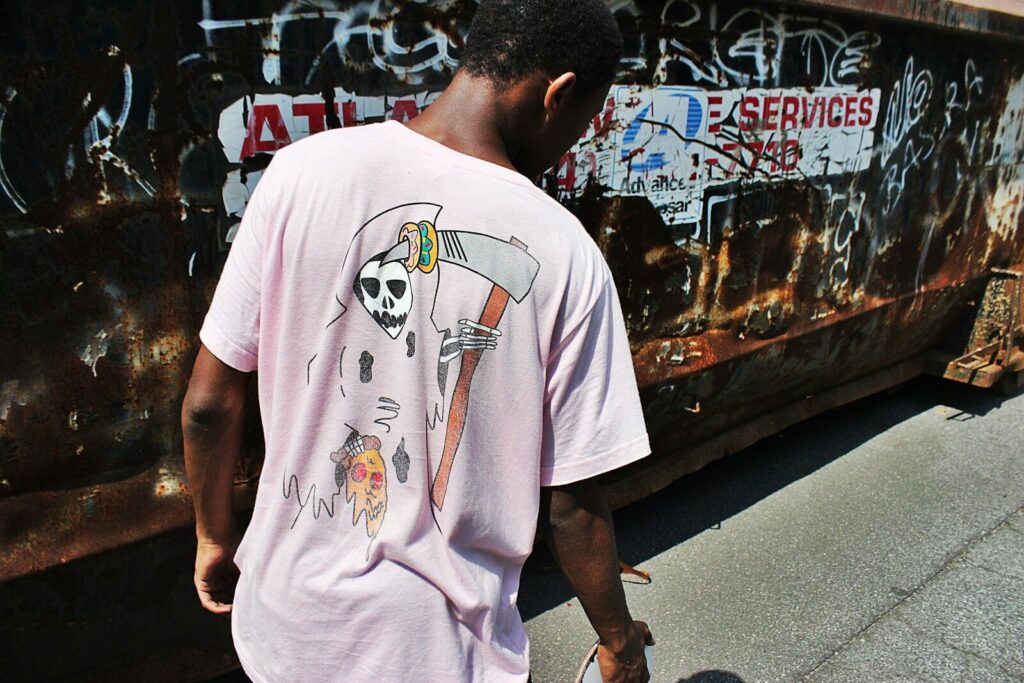
Photo by David Wimmer on Unsplash
What Are Custom DTF Transfers and Why Are They So Popular?
Understanding Direct-to-Film (DTF) Printing
Custom DTF transfers are full-color heat transfers printed onto PET film. A layer of white ink sits behind the design, which is what allows vibrant prints to show up clearly on dark garments.
DTF printing supports:
- Unlimited colors
- Fine details
- Smooth gradients
- Photo-realistic artwork
Unlike heat transfer vinyl, there’s no cutting or weeding involved. And unlike some other decoration methods, DTF requires no garment pre-treatment. You simply order your transfer, press it, and you’re done.
Why More Businesses Are Choosing DTF
DTF has exploded in popularity because it removes the barriers that once made custom apparel expensive and complicated. Here’s why so many businesses love it:
- Lower startup costs
- No minimum order requirements
- Short production runs made easy
- Custom apparel without expensive setup fees
That flexibility makes DTF a perfect fit for Etsy sellers, Shopify stores, print shops, schools, events, and DIY creators alike. If you want to produce professional apparel without a huge investment, DTF is hard to beat.
How Do You Prepare Clean Artwork for Better DTF Prints?
Your DTF prints can only be as good as the file you upload. Clean artwork is the foundation of every flawless transfer.
Use the Correct File Format
Start with the right preferred file type. The most reliable formats for DTF prints are:
- PNG – ideal for single designs with a transparent background
- PDF – great for print-ready gang sheets
- AI and SVG – best when you have vector artwork available
Whatever format you choose, make sure your artwork is print-ready, with embedded fonts and a transparent background. Vector artwork is your best friend because it scales without losing quality. If you need help exporting a clean transparent PNG, Adobe Express offers a simple background removal tool.
Why Resolution Matters
Resolution makes or breaks your transfer. Always aim for a minimum of 300 DPI. Blurry images create blurry transfers—it’s that simple.
Avoid screenshots and compressed social media graphics. These files look fine on a phone screen but fall apart when printed at full size. If you’re building artwork from scratch, Canva Design School has excellent beginner tutorials on setting up high-resolution designs.
Remove Backgrounds Before Uploading
A transparent background gives you cleaner edges, better print quality, and a more professional finished appearance. It also makes application easier because there’s no unwanted box or halo around your design.
At Limitless Transfers, our artwork error-checking tools help verify that your file is print-ready before it goes to production. That extra check catches issues early, so you don’t waste transfers on a file that was never going to print well. For a deeper look at how the PNG format handles transparency, the W3C offers technical background on the standard.
How Do You Size Custom Artwork Correctly Every Time?
Why Design Size Affects Finished Custom Apparel
Sizing is one of the most common places people go wrong. A design that looks perfect on a laptop can end up far too large on an actual shirt. Different garments call for different sizes:
- Adult shirts typically use full front graphics around 10–12 inches wide
- Youth apparel needs smaller, scaled-down designs
- Left chest logos usually run about 3–4 inches wide
- Sleeve prints are smaller still
Getting these proportions right is the difference between a homemade look and a professional one.
Use Our Print Size Visualizer
To take the guesswork out of sizing, I built a Print Size Visualizer. It lets you preview placement before you order, so you can:
- See exactly how your design will sit on the garment
- Avoid oversized prints
- Reduce wasted transfers
- Improve customer satisfaction
When you can see the finished result before pressing, you stop making costly sizing mistakes.
How Can a DTF Gang Sheet Save You Money?
What Is a Gang Sheet?
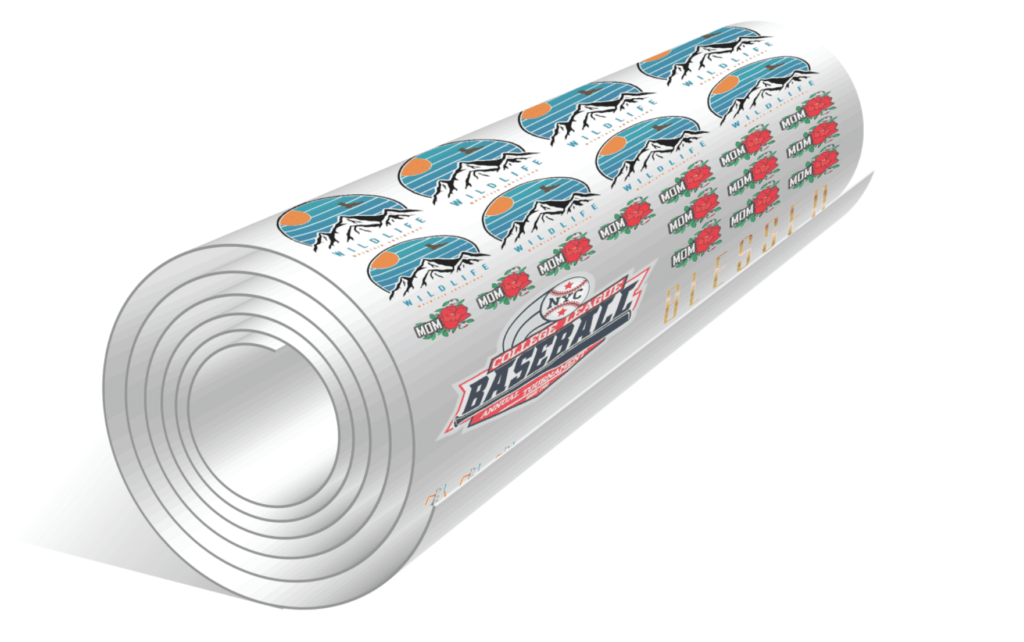
A DTF gang sheet lets you arrange multiple designs on a single sheet of film. Instead of ordering transfers one at a time, you can combine:
- Multiple logos
- Neck labels
- Sleeve prints
- Even several different customer orders
This approach maximizes every inch of film, which cuts down on waste and lowers your cost per print.
Use Our Gang Sheet Builder
Our free online Gang Sheet Builder makes this process effortless. You can upload existing gang sheets or use the auto-layout assistance to arrange your designs. Built-in error checking flags problems before printing, so you save both material and money.
To give you a sense of value: four 22″ × 240″ gang sheets cost approximately $96 each. You can order by size or upload your own gang sheet—whichever fits your workflow best.
Why Choose Premium DTF Transfers for Better Long-Term Results?
Not all transfers are created equal. Premium DTF transfers hold up better, look sharper, and feel softer on the garment.
Limitless Transfers uses award-winning print quality backed by an expanded CMYK+W color gamut, capable of producing up to 16.7 million colors. That range delivers sharp detail, a soft-hand feel, and consistent production run after run.
Durability is where premium transfers really shine. Properly applied transfers:
- Last over 50 washes, with many maintaining vibrant colors for 100+ washes
- Resist cracking and peeling
- Maintain flexibility so they move with the fabric
For business owners, that durability translates directly into fewer complaints, more repeat customers, and a stronger reputation.
How Do You Heat Press DTF Transfers Like a Professional?
Pre-Press Your Blank Apparel
Before you apply anything, pre-press your blank apparel for a few seconds. This removes moisture and wrinkles while improving adhesion. It’s a small step that makes a big difference in how well your transfer bonds.
Recommended Heat Press Settings
Here are the settings I recommend for consistent, professional results:
- Temperature: 310°F
- Time: 7–10 seconds
- Pressure: Medium
- Peel: Peel hot (or cold when applicable)
- Repress: Repress for 5 seconds using parchment paper for maximum durability
Because Limitless transfers are true hot-peel and ready-to-press, they simplify production and keep your line moving quickly. If you want to fine-tune your technique further, Stahls’ offers a helpful heat printing learning center.
Which Fabrics Work Best for Custom DTF Transfers?
One of the biggest advantages of DTF is its flexibility across materials. Our dtf transfers work beautifully on a wide range of fabrics and surfaces, including:
- Cotton
- Polyester
- Cotton/poly blends
- Tri-blends
- Nylon
- Canvas
- Leather
- Wood
Few decoration methods offer this kind of range. That’s why DTF has become the go-to choice for shops that want to say “yes” to more product requests without switching processes.
What Common Mistakes Should You Avoid With DTF Transfers?
Most failed transfers trace back to a handful of avoidable errors. Watch out for these:
- Low-resolution artwork
- The wrong file format
- Missing transparent background
- Incorrect sizing
- Skipping the pre-press
- Using incorrect pressure
- Setting the wrong temperature
- Peeling too early
- Forgetting the final repress
Run through this checklist before every job. It only takes a minute and saves a lot of wasted film. For matching brand colors accurately across designs, Pantone’s color resources are a great reference.
How Do You Save More With Bulk Discounts Without Sacrificing Quality?
Buying in volume is one of the smartest ways to protect your margins. At Limitless Transfers, our pricing rewards larger orders:
- 15–49 transfers receive 35% off
- 250+ transfers receive 60% off
- No minimum quantity required
- Same-day shipping on orders placed before noon EST
- Free UPS Ground shipping on orders over $50
Some suppliers advertise bulk discounts in the 50–55% range, and price alone can be tempting. But value is about more than a percentage. When you combine award-winning quality, fast turnaround, and generous discounts, the total package delivers better real-world results—fewer reprints, faster fulfillment, and happier customers.
Why I Built Tools That Make It Easy To Order Custom DTF Transfers
I know how frustrating it can be to order custom DTF and hope for the best. That’s why I built a system designed to remove the guesswork:
- Print Size Visualizer for accurate placement
- Gang Sheet Builder for cost-efficient layouts
- Artwork checking to verify print-ready files
- Multiple ordering methods, including upload by size
- Fast turnaround and same-day shipping
- No art fees for print-ready files
- A one-stop shop for transfers, supplies, and heat presses
The goal is simple: give you everything you need to succeed in one place, so you can focus on growing your business instead of troubleshooting files. For care and washing guidance you can pass along to your customers, The Spruce has a helpful guide to textile care symbols.
Small Improvements Create Professional Results
Flawless custom DTF transfers aren’t about luck—they’re about a series of small, smart decisions. Better artwork leads to better sizing. Better sizing leads to better pressing. Better pressing leads to durable dtf prints. And all of it adds up to better customer satisfaction.
Start by using the Print Size Visualizer and Gang Sheet Builder to lock in your design and placement. Pair those tools with award-winning custom DTF transfers, and you’ll see the difference in every shirt you press.
Ready to see it for yourself? Upload your design today and experience professional-quality transfers from Limitless Transfers.
Frequently Asked Questions
How much do custom DTF transfers cost?
The cost of custom DTF transfers depends on size and quantity. There’s no minimum order, so you can start small or scale up. Bulk discounts range from 35% off (15–49 transfers) to 60% off (250+ transfers), and building a gang sheet is one of the best ways to maximize value on every order.
Can I make my own DTF transfers?
Yes, you can make your own DTF transfers at home. However, professional suppliers provide more consistent color, better durability, and reliable production quality—without requiring you to invest in expensive printers, PET film, adhesive powder, white ink, and curing equipment. For most sellers, outsourcing is faster and more cost-effective.
Does Hobby Lobby make DTF transfers?
Hobby Lobby sells dtf heat transfer supplies, but it generally does not offer custom commercial DTF transfer printing services. If you need custom-printed DTF transfers from your own artwork, a dedicated DTF supplier is the better choice.
Can any printer do DTF transfers?
No. DTF printing requires specialized equipment, including a DTF printer, PET film, adhesive powder, white ink, curing equipment, and a proper production workflow. A standard home or office printer cannot produce DTF transfers.